
The context
Sofico develops complex SaaS solutions for fleet management and mobility — products with heavy data, technical requirements, and high user expectations. As the sole UX researcher and designer on a new product team, my challenge was to bridge user needs with business strategy and technical constraints (API-first, developer-heavy environment).
The Document Box was one of the critical flows I worked on — a deceptively “simple” feature that uncovered the deeper complexity of Sofico’s ecosystem.
The challenge
We were tasked with creating a brand-new “Document Box” feature — from the ground up. With no existing framework and no direct access to end-users, the challenge was to uncover real user needs and pain points in the dark. From a business perspective, the goal was clear: reduce customer support costs by enabling users to manage and send their documents independently, making the process as self-service as possible.
As research unfolded, another layer of complexity emerged — the current API couldn’t support the level of file organization users expected. This raised a critical question: how might we design a Document Box that feels valuable and intuitive for users, while staying technically feasible for the product team?
The solution & impact
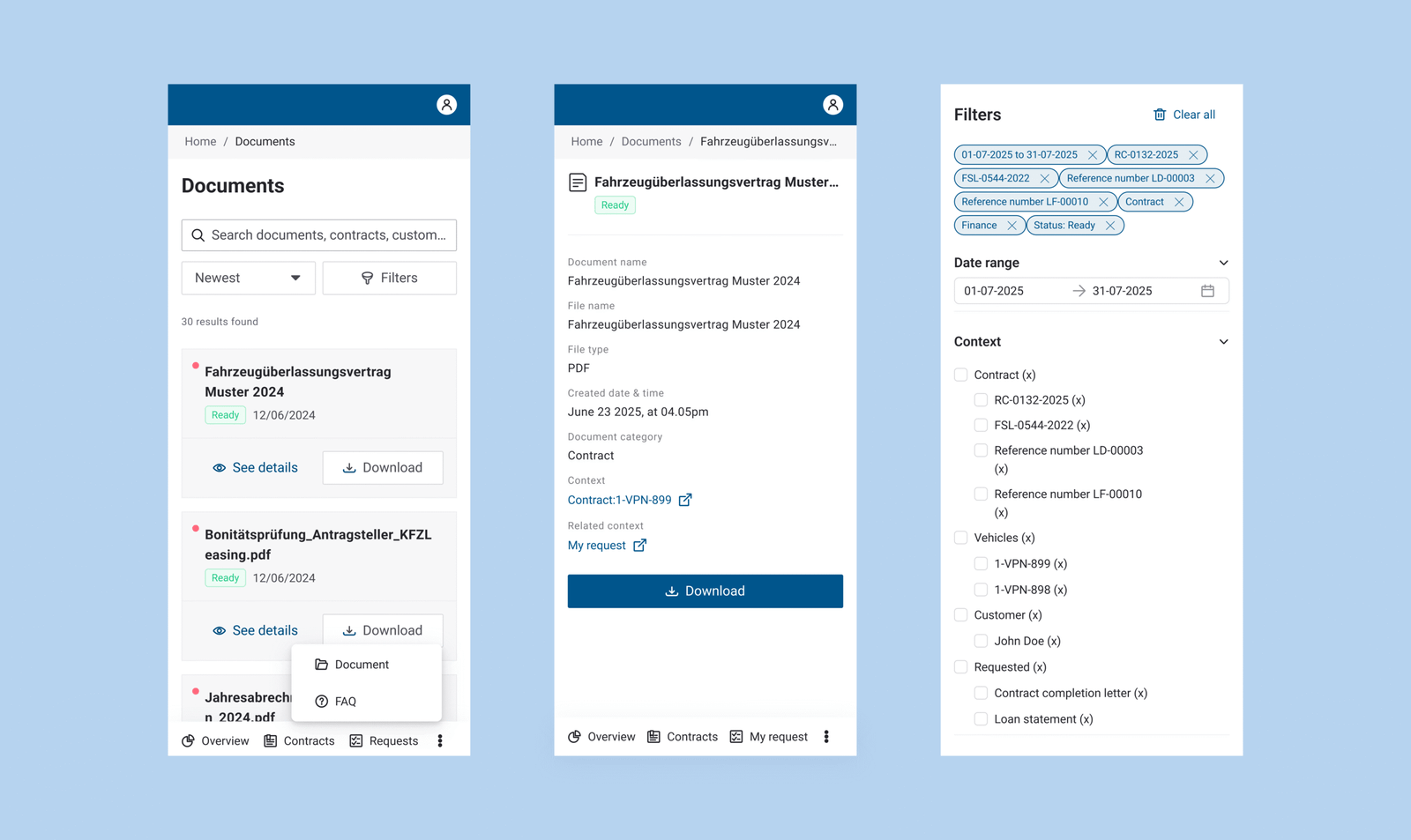
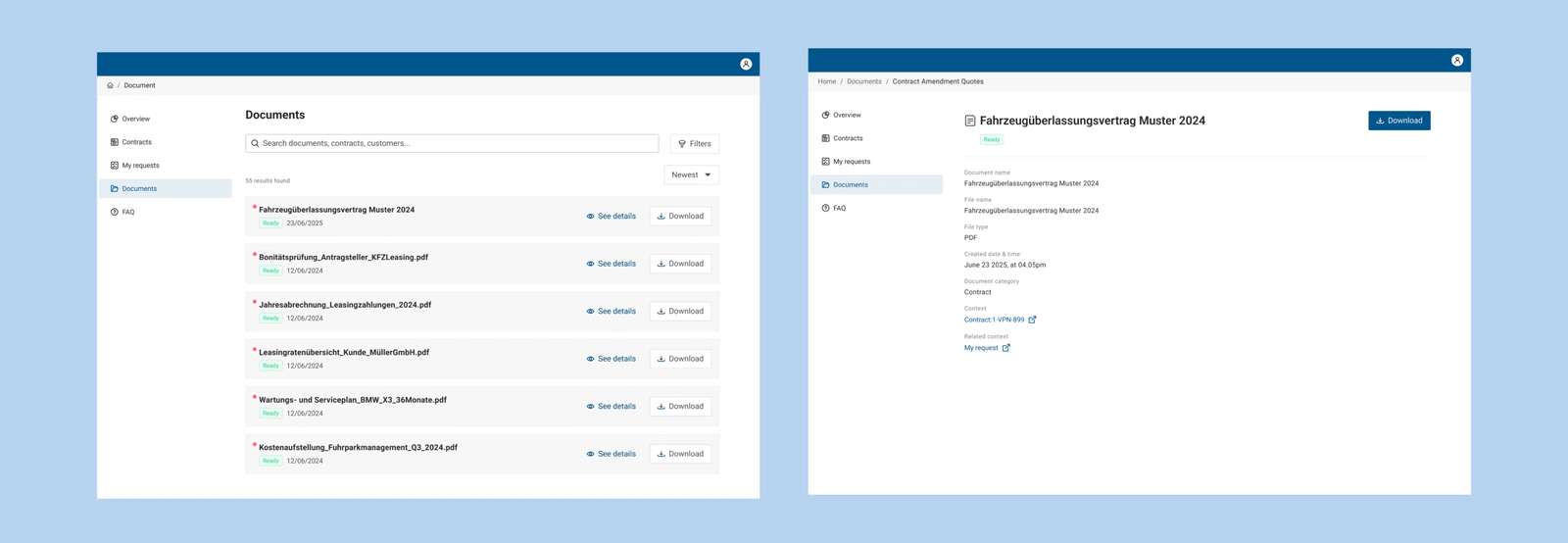
Over a month of working together across teams, users can now filter on; date rage, context (multi-layer), document categories, and status. Originally, there is no ‘categorization’ among type of documents as users expect. The business could plan better the scope and roadmap ahead as the scope is clarified.
My role
Discovery research: planned and ran interviews, surveys, and stakeholder workshops to define the problem space.
UX research & synthesis: affinity diagrams, journey maps, and problem statements.
Design: Design workshop, wireframes, user flows, and hi-fi prototypes in Figma.
Collaboration: daily work in Agile/Scrum with product owners, developers, and other designers (in UX core team).
Strategy: contributed to design principles and helped shape the API & developer experience strategy.
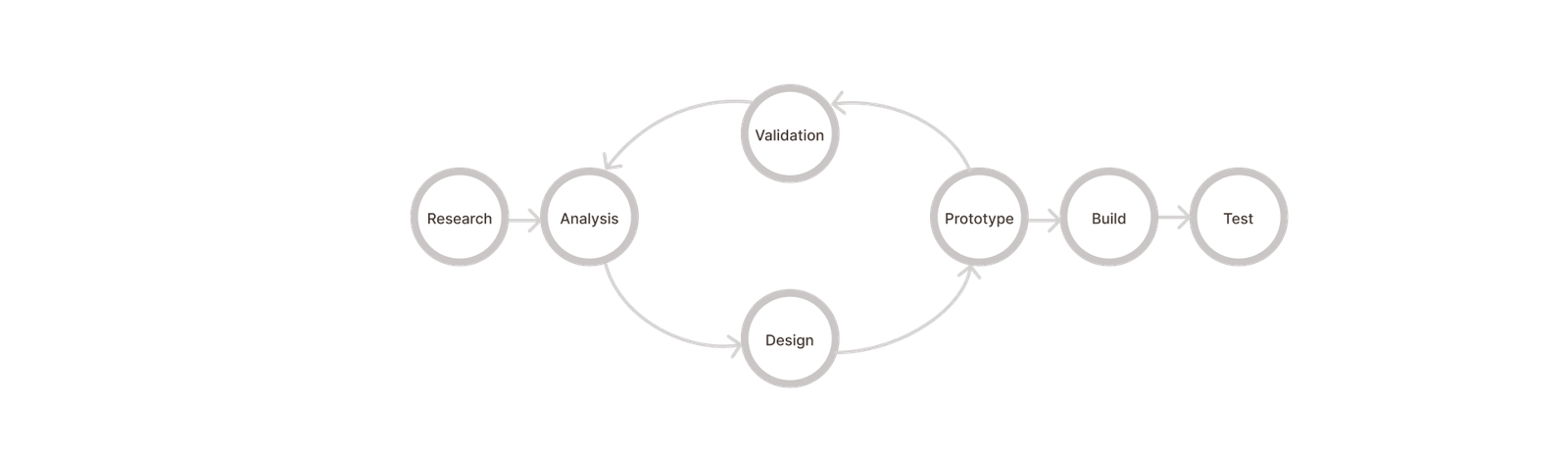
The process
- Discovery research
- Data synthesis
- Ideation
- Design (Low & Hi -fi)
- Usability testing
- API – DX discovery research
Tools
- Figma, Figjam, Figmake
- Confluence
- Jira
- Condens
- Useberry
- Open AI
Another challenge was balancing front-end design with back-end research, ensuring both sides worked seamlessly together.
One key impact was improving the Scrum process by helping the team find more effective ways of working.
The design process
Discovery research
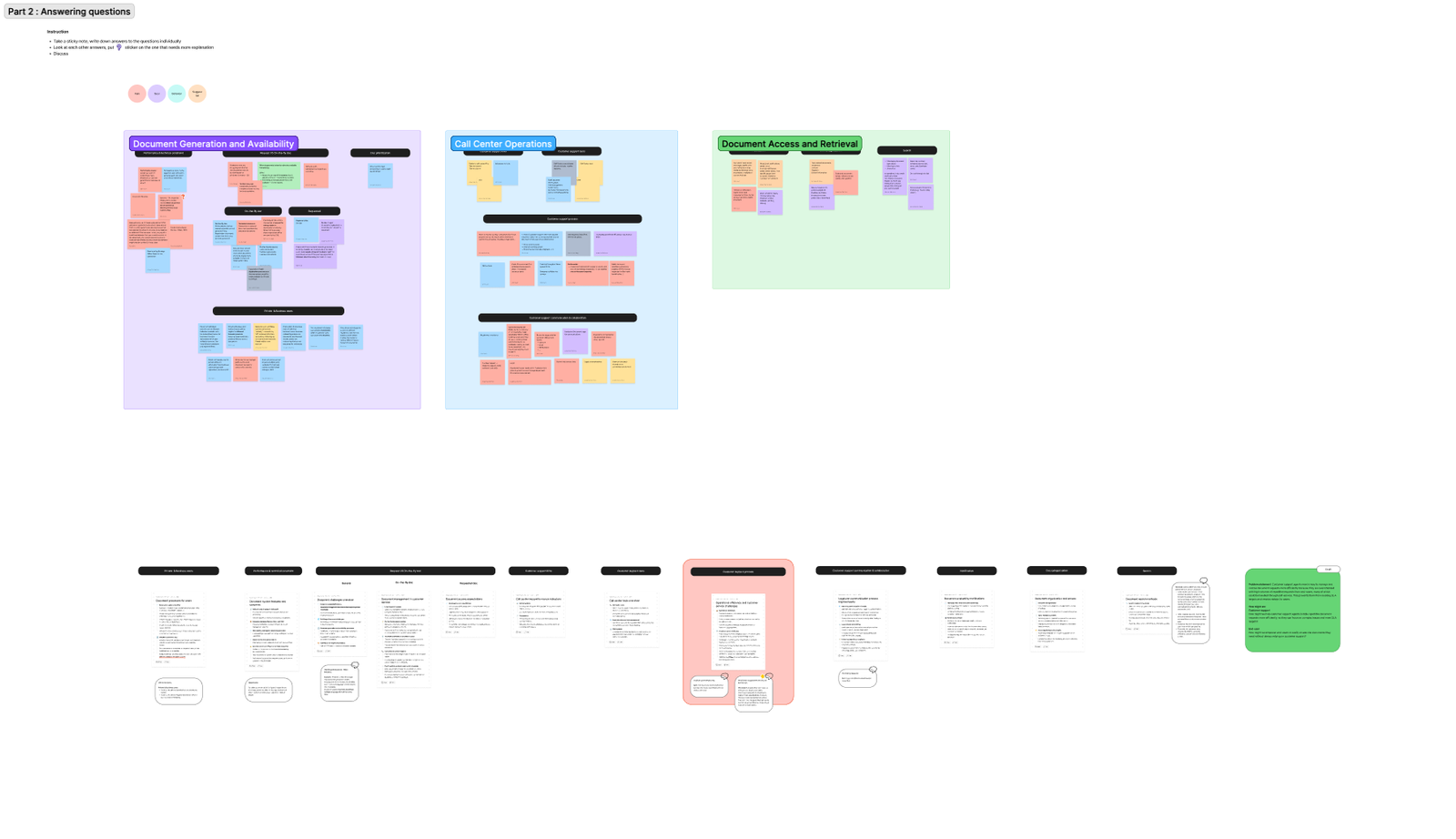
To gain insights into users pain, goals, and behaviors; I mapped user journeys and ran participatory workshops with domain experts to uncover how different retail customer roles (fleet managers, finance, drivers) interacted with documents. That also includes digging into complex Sofico’s core product ‘Miles Core’ together with business analysis. There were a lot of the unknowns to be uncovered.
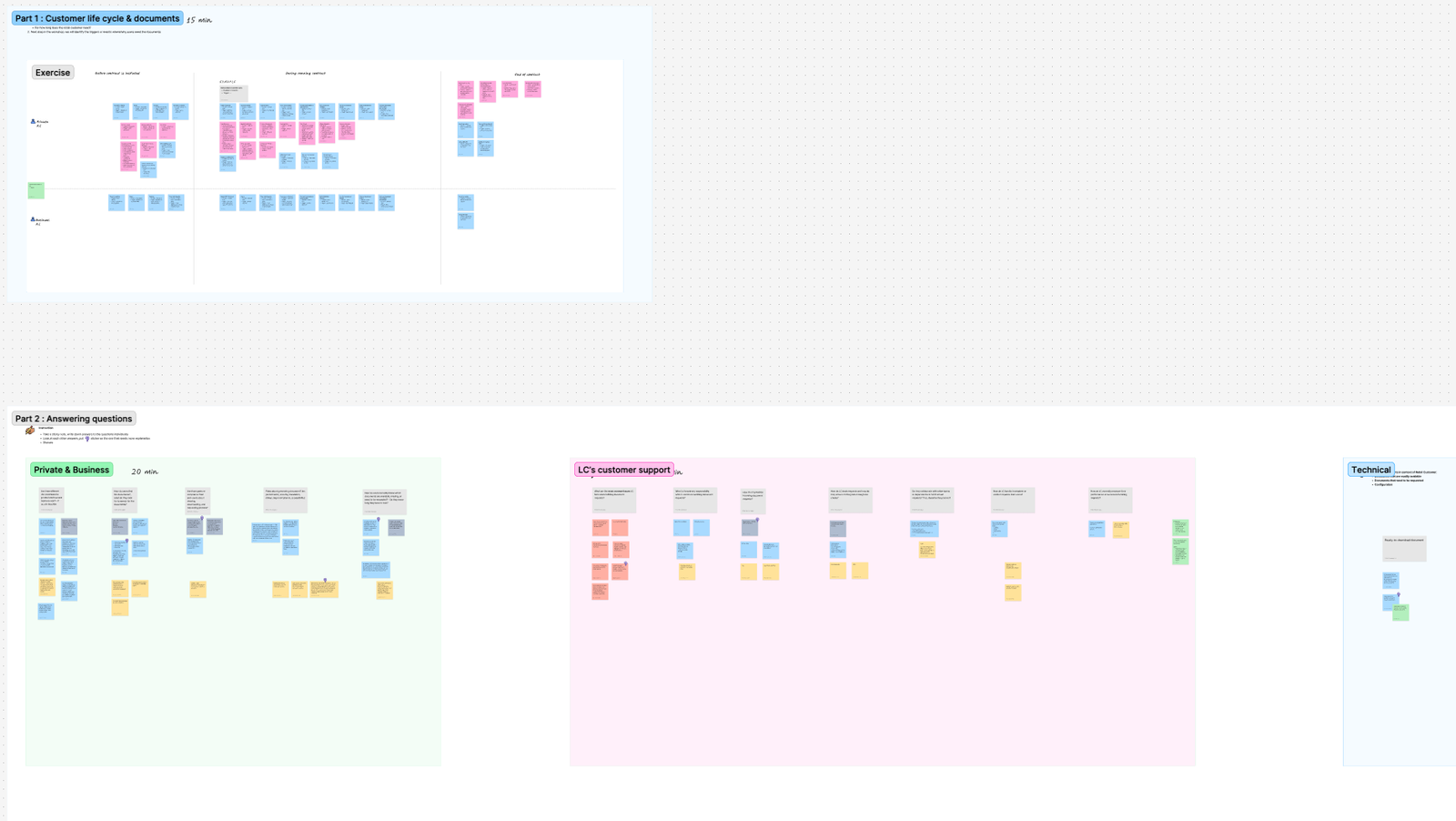
I also organised another stakeholder workshop to find the blockers within the team before combining all information together. To help the business analyst and the rest of the team to realise what they need to succeed with a ‘Service Blueprint’ workshop.
Apart from workshops, I also did competitive analysis with direct and indirect competitors to analyze what are good, bad, and identify opportunities.
Define
After I gathered the needs and painpoints of retail end-users, the team blockers. It’s time to synthesise the information.
Insights showed the need for filters — turning a complex document journey into a simpler one where everything lives in one place, organized by type. It sounds simple, but with hybrid front- and back-end flows, it took some determination to dig past the surface.
We uncovered technical hurdles too — the existing API design wasn’t clear, flexible, or structured enough to support document categorization that users expect.
Problem statement
How might we empower end-users to easily access the documents they need without always relying on customer support?
Design & Prototype
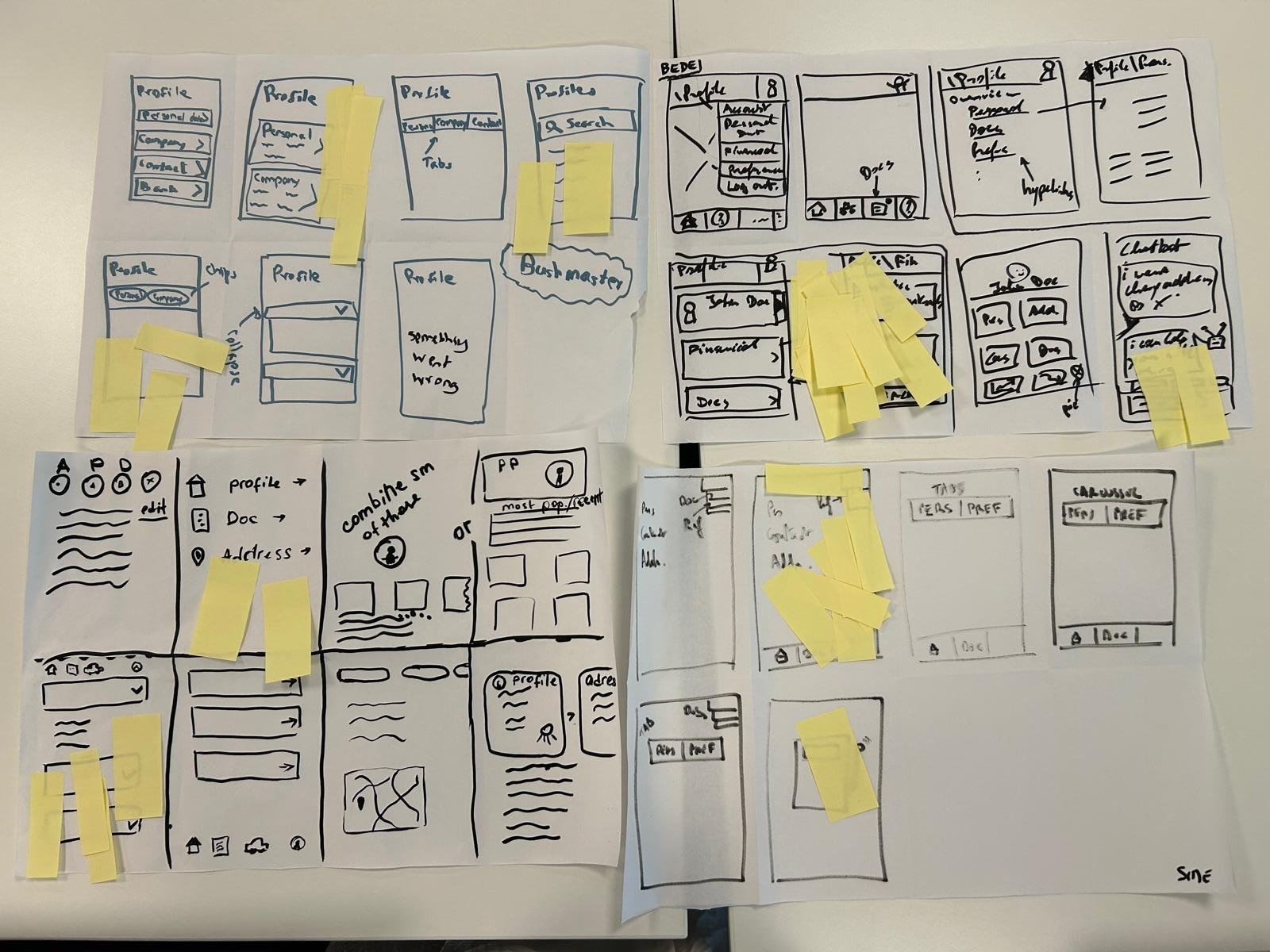
To support the front-end demo of different document categorizations and layouts—some more complex than others, especially for mobile design —I ran a Crazy 8s workshop with stakeholders to speed up iteration.
Once we decided on a design concept, then we tackle the functionalities. I accompanied the desk research along the way.
After that, I designed hi-fi wireframes on Figma.
Design Validation
Given the tight timeline and the novelty of the feature, we didn’t yet have the opportunity to test the design and API directly with clients. Since the product was newly launched, measurable results were not available at this stage. Future success could ideally be evaluated through feature usage metrics and the potential impact on reducing customer support costs.
API discovery research
I welcomed the challenge of back-end discovery research, running a detailed API competitor analysis, and suggesting improvements—like clearer terminology conventions, and good examples of good API design —that made an immediate impact on developer experience.
The impact
- Optimised back-end capability and translated to front-end in a way that corresponded with user needs.
- We transformed a complex system into a document navigation experience that feels simple, intuitive, and aligned with users’ real-world tasks.
- My research directly shaped product principles still in use across the team today.
- Developers benefited from improved API-first design documentation, leading to smoother implementation, or at the very least, had more clarity on the direction to better API experience.
- A clear project scope helped the business to plan a more focused and achievable roadmap.
Conclusion
This project taught me how much clarity in process flow impacts both user trust and business efficiency, and how to navigate the project despite challenges. The Document Box was just one slice of a much larger challenge and the lessons I carried forward were about turning complex systems into usable, human-centered experiences.